
What’s the Difference Between Public and Private DNS?
Last Updated: Oct 21, 2026
Whenever you visit a website, send an email or connect to an online service. DNS is always working behind the scenes. Computers use DNS to locate servers on a network.
But not all DNS is the same. Use public DNS or private DNS based on your requirements. Therefore, understanding the difference can help you choose the right option for better performance, security, privacy, and network management. Let's look at the differences that actually matter.
Public and Private DNS Serve Different Purposes
The easiest way to understand the distinction is to look at what you're trying to resolve.
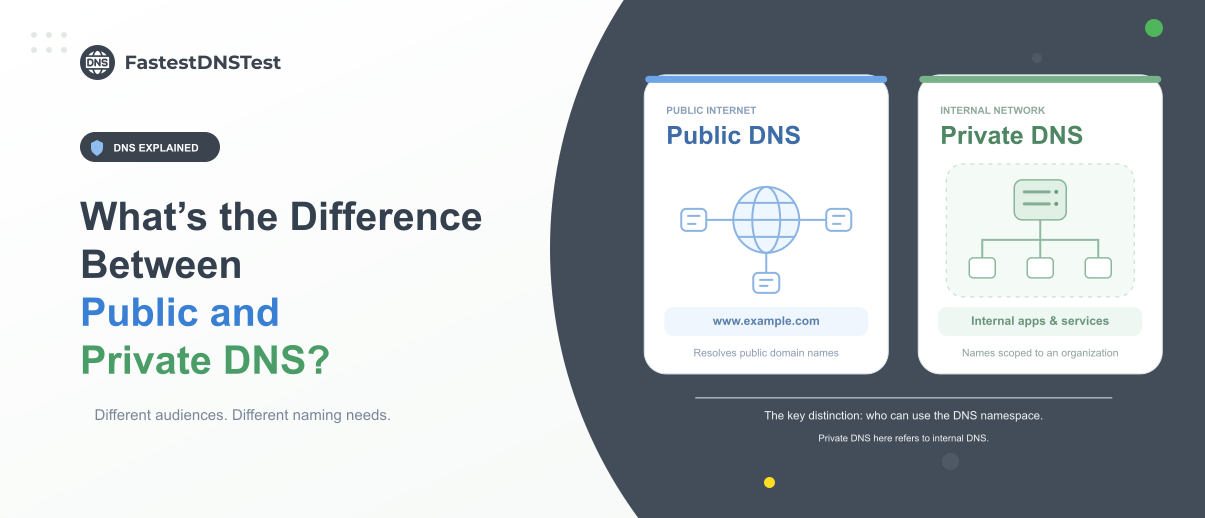
Public DNS is primarily concerned with services that are available on the public internet. When your device needs to reach a public website or online service. A public DNS resolver handles the request.
Private DNS is intended for resources that should remain within a controlled environment. A company might use it to resolve internal applications, databases, servers or employee only services.
What is Public DNS?
Public DNS refers to DNS services that are available to anyone over the internet. Internet companies, technology providers or other organizations operate these services.
Your internet service provider (ISP) automatically assigns DNS servers to your connection. But you can also configure your device or router to use any third party public DNS providers.
How Does it Work?
When a user enters a website's address into the browser, the following happens.
The user's device checks the local DNS, local cache or any configured local DNS server. They see if it contains an IP address and whether it matches the domain.
If it is unable to find a match, the request is sent to a recursive DNS resolver. ISP or a public DNS server provides these; hence, you will know what your DNS server is.
Resolver connects with the root name server. It points DNS queries to a top level domain server which is able to handle the request.
The resolver searches for the TLD server. This helps to guide the query to the certain authoritative name server for the specific domain
The authoritative name server returns the accurate IP address for the domain. It sends the resolved IP address to the recursive resolver.
Advantages of Public DNS:
Public DNS offers several benefits:
Public DNS services are generally simple to configure.
Some public DNS providers operate large networks. They have globally distributed networks which reduce DNS lookup times.
A reputable provider offers highly available DNS infrastructure.
Some services can block known malicious or phishing domains.
You aren't limited to the DNS servers that your ISP provides.
Public DNS is specifically useful for home users, small businesses, developers and anyone looking for an alternative to their ISP's default DNS service.
What is Private DNS?
Private DNS is used within a private network or organization. It is not openly available to anyone. Only authorized users or devices can access private DNS servers.
Businesses use private DNS to manage internal resources. For example, an organization uses internal DNS names for applications, servers, databases, printers or other services which shouldn't be publicly accessible.
Suppose a company has an internal application called hr.company.internal. Employees need to access it. But the company doesn't want that name or its associated IP address exposed through public DNS.
Private DNS is used in cloud environments. This is because organizations need DNS resolution for internal applications and services.
Private DNS Working
Private DNS provides DNS resolution inside a restricted network or environment. It doesn’t make those DNS records available to everyone on the internet. The process typically works like this:
A user requests an internal domain. An employee enters hr.company.internal into an application or browser.
The device sends a DNS query. Instead of sending the request to a public DNS resolver, the device sends it to the organization's configured private DNS server.
The private DNS server checks its records. The server looks for the requested internal domain and finds the corresponding private IP address.
The IP address is returned. The DNS server sends the result back to the employee's device.
The device connects to the internal service. The application uses the returned private IP address to connect to the company's internal server.
Advantages of Private DNS
Private DNS provides organizations with greater control over their internal networks. Some of the advantages are:
Employees can access internal services through names.
Internal DNS information doesn't need to be publicly exposed.
IT teams can control DNS records and policies.
Internal resources can remain separate from public-facing services.
Private DNS is useful for corporate systems, cloud resources and other services that require internal connectivity.
Side by Side Comparison: Public Vs Private DNS
The side by side comparison is given below:
Feature | Public DNS | Private DNS |
Accessibility | Generally available over the internet | Restricted to a private network |
Primary purpose | Resolving public internet domains | Resolving internal/private domains |
Typical users | Individuals, developers, businesses | Organizations and IT teams |
Management | Usually managed by a DNS provider | Managed by the organization or network administrator |
Internal resources | Generally not intended for private services | Designed to support internal services |
Configuration | Usually simple | Can require more technical administration |
Common Use | Browsing Public Websites | Encrypt website traffic and resolve internal hostnames securely within a network |
Which One Should You Use?
The answer to this depends on your requirements.
Use Public DNS (for a Home User)
For everyday internet use, public DNS is usually the simpler choice. If someone is looking for reliable DNS resolution or wants to use features such as malicious domain blocking, a reputable public DNS provider will be a good option.
You don't need to manage your own DNS infrastructure. You can use Private DNS for Internal Business Networks.
If you're managing a business network, private DNS is more appropriate. For example, employees need to access internal services such as intranet.company, fileserver.company, app.internal or Internal databases and applications.
Private DNS allows these names to resolve within the organization's network without revealing those internal systems to the public internet.
You May Need Both
Importantly, public and private DNS aren't competing technologies. Many organizations use both.
A company might use public DNS for websites and other internet facing services while using private DNS for internal applications and infrastructure.
This setup allows an organization to maintain internal name resolution. It still provides access to public internet resources.
Conclusion
DNS plays a vital role in finding and connecting online services with your devices. Public DNS is convenient and accessible. So it is a practical choice for everyday internet users. Private DNS gives organizations more control over internal resources. They are also able to access network infrastructure.
You need to consider a few things before you choose a DNS setup. These include performance, privacy, security, accessibility and network management. The right choice depends on whether you're managing a personal connection, a small business network or a large enterprise environment.
FAQs
Is Private DNS More Secure than Public DNS?
Not necessarily. Private DNS helps prevent internal DNS records to reveal publicly. But if you simply use private DNS, it doesn’t make your network secure.
Security also depends on various factors. These include access controls, DNS configuration, encryption, network segmentation, monitoring and logging, firewall policies and endpoint security.
Similarly not every public DNS server offers the same level of security or privacy. When you choose a public DNS provider. It’s important for you to check its privacy policy, security features, reliability or logging practices.
What will happen if I turn off my private DNS?
When you turn off your private DNS, it makes your device use your current network’s default DNS server. Your ISP or mobile carrier usually assigns this DNS server.
When you turn it off, you will experience unencrypted traffic, network visibility, no content filtering and no longer have a potential fix for connection issues.
Is private DNS risky?
No. Using a reliable private DNS is not risky. However you need to make sure that the DNS is trustworthy. Private DNS also has some limitations as well due to which you will not be able to access certain things.
You should also need to be aware that your private DNS provider can see your lookups. Your ISP can’t see the requests. However it doesn’t hide your actual IP address.
Is it better to have private DNS turned on or off?
It is better for you to turn on your private DNS. This is because it encrypts your web traffic lookups. Therefore it protects your browsing privacy from your ISP and observers on public Wi-Fi networks.
Does private DNS slow down the internet?
No. When you use a private DNS, it doesn’t slow down your internet. In fact, it makes your initial website loading time faster. DNS only translates website names into numerical IP addresses. It is not responsible for changing your raw download or upload speed.
An encrypted or private DNS adds a tiny initial handshake of about 1 to 5 milliseconds. This small delay is not even noticeable.